Everything between a question and its answer
A user writes in, you see it with the facts, your reply reaches them. These are the parts
One inbox for every project
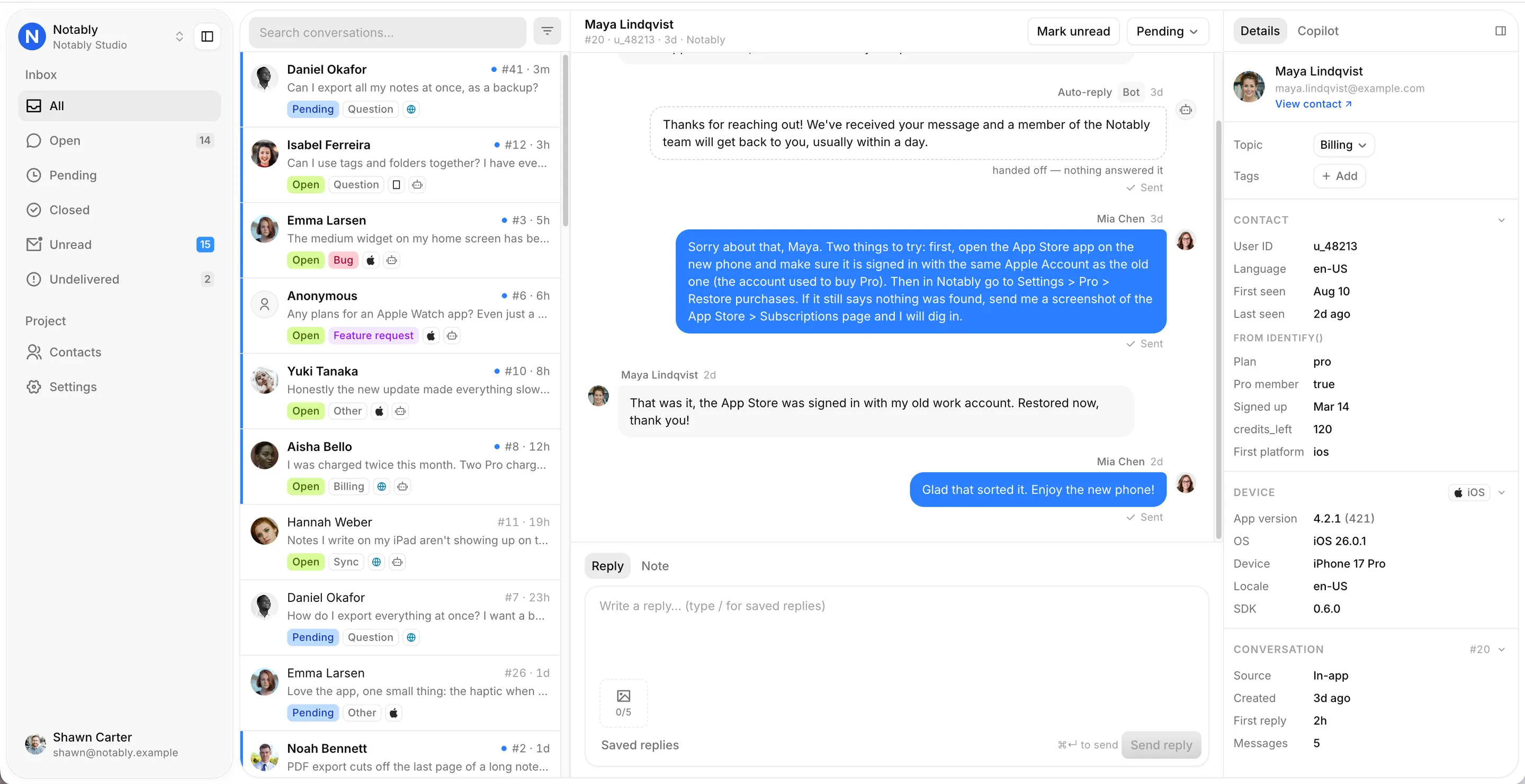
App and website conversations in one list. The thread, the device and the plan on one screen.
- A Needs reply view for what is waiting on you, beside open, pending, closed, unread and undelivered
- Search, and filter by topic or tag
- Email, sound and tab-title alerts
Every message arrives with the facts
Device, OS, app version, language and the user’s local time come attached. Send plan and membership with one call.
- Attributes kept as they were when the message was sent
- Every conversation a person has had, in one place
- Custom fields with your own labels

- Plan
- pro
- is_member
- Yes
- signed_up
- Mar 14, 2026
- credits_left
- 120
- App version
- 4.2.1 (421)
- OS
- iOS 26.0.1
- Device
- iPhone 17 Pro
- Locale
- English (US)
Replies land where they asked
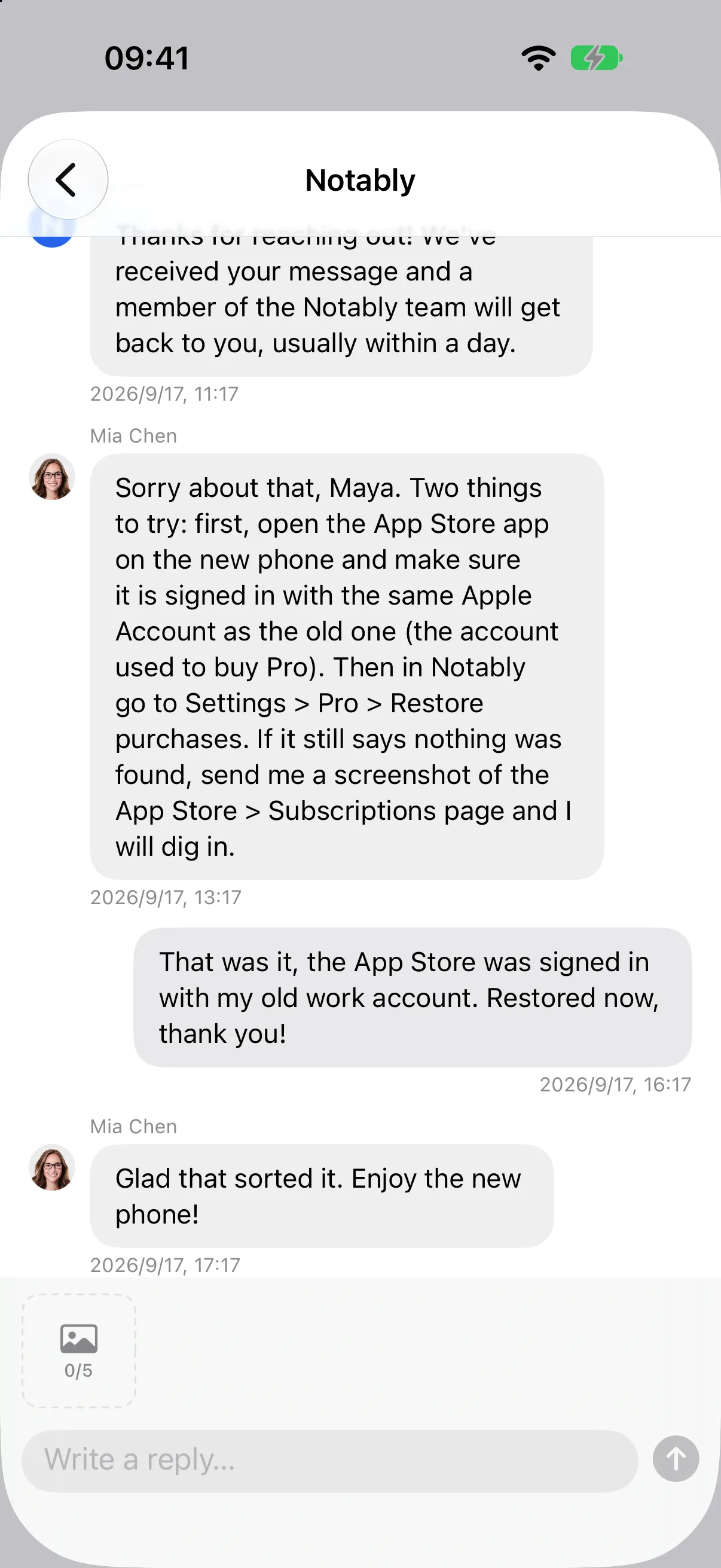
In the app with an unread badge, in the widget on your site, or by email from your own domain with the full reply inside.
- Unread badge on your own button
- Email from a domain you verify, never a Feddy address
- Attachments both ways
 Shawn Carter · Just now
Answer in any language
Read every conversation in your language and write your reply in it. The user gets your reply in theirs, in the app and by email.
- Translate one message, the whole thread, or every thread
- What they wrote and what they got, one click away
- Each teammate reads in their own language
Milo answers from your docs. The rest comes to you.
Milo reads your website, your App Store page, anything you paste and the answers your team wrote. It replies in the user’s language and says what it used. What it can’t answer, it hands to you with a summary.
- Answer with AI, or have it suggest replies to you
- Learns from how your team replies, and every change can be undone
- Keyword answers on every plan
Know what to build next
Milo files what users ask for into one list, whatever language they asked in, with how many asked and how many of them pay. When it ships, one message tells everyone who asked.
- Features, bugs and complaints, grouped
- Paying users counted
- The shipped message goes out in each person’s language

Copilot in your inbox
Ask about the conversation beside it: a draft reply, a summary, the reply in the user’s language. Nothing goes out until you send it.
- Draft, summarize, translate, change the tone
- Reads the thread, the notes and your answers
- You edit, you press send
Two SDKs, both open source
A Swift package for iOS 15 and later. A script tag for any website. Ten languages built into both.
- Identity, history and unread counts handled
- Screenshot button in the web widget
- MIT, on GitHub
Works with what you already ship
Everything above, ten minutes from now
Add the package or the script tag, paste your project ID, ship